
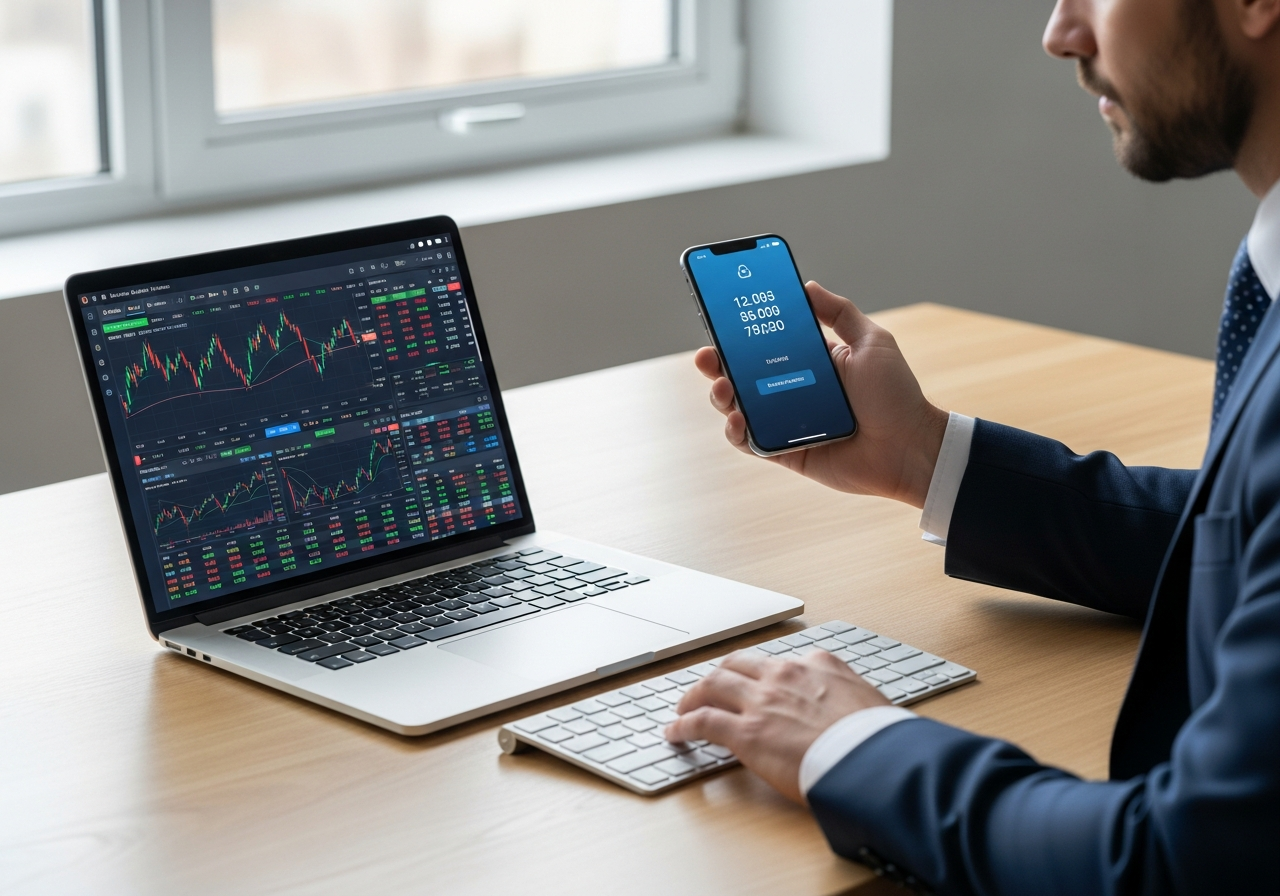
Trading account breaches cost investors over $4.6 billion globally in 2023, with 81% of hacking incidents involving weak or stolen passwords. As financial markets become increasingly digital, protecting your trading assets requires more than just a strong password—it demands a robust security framework that creates multiple barriers against unauthorized access.
Two-factor authentication (2FA) serves as your primary defense against account compromise, requiring both something you know (your password) and something you have (your mobile device or hardware token). This dual-layer approach reduces successful hacking attempts by up to 99.9%, making it essential for anyone serious about secure trading account management across platforms like Kraken, TradingView, and Interactive Brokers.
What is Two-Factor Authentication (2FA) for Trading?
Two-factor authentication represents a security protocol that adds a second verification layer beyond your standard password when accessing trading platforms. This additional step requires you to provide a unique code generated by an authenticator app, sent via SMS, or produced by a hardware device, ensuring that even if someone obtains your password, they cannot access your account without physical possession of your secondary authentication method.
In trading contexts, 2FA becomes particularly critical because it protects not only account access but also specific high-risk activities like fund withdrawals, large trades, and account setting modifications. Most reputable brokers implement tiered 2FA systems where certain actions trigger additional authentication requirements, creating multiple security checkpoints throughout your trading session.
The importance of implementing 2FA for trading accounts cannot be overstated, as these platforms often store significant financial assets and sensitive personal information. Unlike standard web services, trading accounts represent direct pathways to your wealth, making them prime targets for sophisticated cybercriminals who employ advanced techniques like SIM swapping, phishing campaigns, and credential stuffing attacks to gain unauthorized access.
2FA vs Multi-Factor Authentication
While 2FA specifically requires exactly two authentication factors, multi-factor authentication (MFA) in trading environments can involve three or more verification methods, including biometric scans, location-based verification, and device fingerprinting. Professional trading platforms often implement MFA for institutional clients who require enhanced security protocols for large portfolio management.
The distinction becomes important when choosing trading platforms, as some brokers offer basic 2FA for retail clients while providing comprehensive MFA solutions for high-net-worth individuals and institutional traders. Understanding these differences helps you select appropriate security levels based on your trading volume and asset values.
Risks Without 2FA in Trading
Trading accounts without 2FA protection face numerous security vulnerabilities that can result in devastating financial losses and compromised personal information.
- Credential theft through phishing emails and fake broker websites designed to capture login information
- SIM swapping attacks where criminals hijack your phone number to bypass SMS-based security measures
- Unauthorized fund withdrawals that can drain entire account balances within minutes
- Market manipulation through unauthorized trades that can destroy portfolio performance
- Identity theft using personal information stored in compromised trading accounts
- Social engineering attacks targeting customer support to reset account credentials
Benefits of Enabling 2FA on Trading Accounts
Implementing 2FA on your trading accounts provides comprehensive security enhancements that extend far beyond basic password protection. These benefits create a robust defense system against both automated attacks and sophisticated human-driven threats.
- Reduces successful account compromise attempts by 99.9% according to cybersecurity research
- Meets regulatory compliance requirements for professional trading in many jurisdictions
- Provides real-time alerts about unauthorized access attempts through authentication notifications
- Enables secure trading from multiple devices without compromising account integrity
- Protects against automated credential stuffing attacks that test stolen password databases
- Creates audit trails for account access that can assist in fraud investigation
- Reduces insurance premiums for professional traders who demonstrate strong security practices
2FA Impact on Account Protection
Statistical analysis of trading platform security breaches reveals that accounts with properly configured 2FA experience 99.7% fewer successful unauthorized access incidents compared to password-only protection. This dramatic risk reduction translates to measurable financial protection, with 2FA-enabled accounts showing average breach-related losses of less than $50 compared to $12,000+ for unprotected accounts.
The quantified benefits extend beyond direct financial protection, as 2FA implementation reduces account recovery time from an average of 5-7 business days to 24-48 hours when security incidents occur. This faster recovery minimizes trading downtime and potential missed market opportunities during volatile periods.
Popular 2FA Methods for Trading Platforms
Trading platforms support various 2FA implementation methods, each offering different security levels and user experience considerations for protecting your investment accounts.
| Method | Security Level | Examples | Pros | Cons |
|---|---|---|---|---|
| Authenticator Apps | Very High | Google Authenticator, Authy, 1Password | Offline generation, QR setup, backup options | Requires smartphone, sync complexity |
| Hardware Tokens | Highest | YubiKey, RSA SecurID, IBKR Digital Security Card | Air-gapped security, physical possession required | Additional cost, can be lost or damaged |
| SMS Codes | Medium | Text message verification | Universal phone support, easy setup | SIM swapping vulnerability, network dependency |
| Voice Calls | Medium | Automated voice verification | Works with basic phones, accessible | Social engineering risks, slower process |
| Push Notifications | High | Broker mobile apps, Microsoft Authenticator | One-tap approval, detailed context | Requires internet, app dependency |
| Biometric Authentication | Very High | Fingerprint, face recognition, voice | Unique to individual, convenient | Hardware requirements, privacy concerns |
Authenticator Apps (Recommended)
Authenticator applications represent the optimal balance between security and usability for most trading scenarios, generating time-based one-time passwords (TOTP) that refresh every 30 seconds. These apps work offline once configured, eliminating dependencies on cellular networks or internet connectivity that can disrupt trading during critical market moments.
The setup process involves scanning a QR code provided by your trading platform, which establishes a cryptographic relationship between your account and the authenticator app. Leading options like Google Authenticator, Authy, and 1Password offer different feature sets, with Authy providing cloud backup capabilities and 1Password integrating seamlessly with password management workflows.
- Download and install your preferred authenticator app from official app stores
- Access your trading platform’s security settings and locate the 2FA setup section
- Select “Authenticator App” or “TOTP” as your preferred 2FA method
- Use your phone’s camera to scan the provided QR code through the authenticator app
- Enter the 6-digit code generated by your authenticator to verify successful setup
- Save your backup recovery codes in a secure location separate from your mobile device
SMS and Hardware Alternatives
While SMS-based 2FA remains widely supported, security experts strongly discourage its use for trading accounts due to inherent vulnerabilities in cellular networks and the prevalence of SIM swapping attacks. Criminals can hijack phone numbers through social engineering with cellular providers, effectively bypassing SMS-based protection and gaining access to verification codes.
Hardware tokens like YubiKey devices and broker-specific solutions such as Interactive Brokers’ Digital Security Card provide the highest security levels for serious traders. These physical devices generate codes independently of any network connection and require physical possession, making them nearly impossible to compromise remotely, though they introduce logistics challenges for mobile trading scenarios.
Step-by-Step 2FA Setup Guide (General)
Most trading platforms follow similar 2FA implementation procedures, though specific interface elements and terminology may vary between brokers. This universal approach works across major platforms including Kraken, TradingView, Interactive Brokers, and others.
- Log into your trading account using your current credentials and navigate to account security settings
- Locate the “Two-Factor Authentication,” “2FA,” or “Multi-Factor Authentication” section within security preferences
- Choose your preferred 2FA method from available options, with authenticator apps recommended for optimal security
- Follow platform-specific instructions to link your chosen 2FA method, typically involving QR code scanning or manual key entry
- Test the 2FA setup by logging out and back in, verifying that the system properly requests your second factor
- Download and securely store backup recovery codes provided by the platform for emergency access scenarios
- Configure any additional security preferences such as requiring 2FA for withdrawals, trades above certain amounts, or account modifications
Common Setup Pitfalls to Avoid
Many traders encounter preventable issues during 2FA implementation that can result in account lockouts or security gaps. Understanding these common mistakes helps ensure smooth setup and reliable ongoing protection for your trading activities.
- Failing to save backup recovery codes before completing 2FA setup, creating potential lockout scenarios
- Using the same authenticator app for multiple trading accounts without proper organization or labeling
- Neglecting to test the complete login process immediately after enabling 2FA to verify proper functionality
- Installing authenticator apps on devices that aren’t regularly backed up or secured with screen locks
- Choosing SMS-based 2FA despite superior authenticator app options being available on the platform
- Not updating contact information before enabling 2FA, potentially complicating account recovery procedures
Platform-Specific 2FA Setup: Kraken
Kraken implements a sophisticated multi-layered 2FA system that distinguishes between account login protection and specific trading activity verification. The platform offers separate 2FA settings for sign-in, funding operations, trading activities, and API access, allowing granular control over security requirements based on action sensitivity and risk levels.
The exchange strongly recommends enabling 2FA for all available categories, particularly for funding and trading activities where unauthorized actions could result in significant financial losses. Kraken’s implementation supports multiple 2FA methods simultaneously, enabling users to configure primary and backup authentication methods for redundancy without compromising security standards.
Kraken Trading 2FA Steps
- Navigate to Account Settings and select the Security tab from the main navigation menu
- Locate the “Two-Factor Authentication” section and click “Setup” next to your preferred method
- Enable 2FA for “Sign In” first, followed by “Funding,” “Trading,” and “API” categories as needed
- Scan the provided QR codes using your authenticator app and verify each setup with generated codes
- Test each 2FA category by performing the associated action to confirm proper authentication flow
- Save the unique backup keys provided for each 2FA category in secure offline storage
Kraken Step-Up 2FA
Kraken’s step-up authentication feature provides additional security layers for sensitive account modifications such as changing withdrawal addresses, updating security settings, or enabling API access. This system automatically triggers additional verification requirements when users attempt high-risk actions, even if they’ve already authenticated for basic trading activities, creating multiple security checkpoints throughout complex trading sessions.
2FA Setup for TradingView and Others
Different trading platforms implement varying 2FA approaches based on their target audiences and security requirements, from basic login protection to comprehensive multi-factor systems covering all platform interactions.
| Platform | Access Path | Methods | Login Protection | Notes |
|---|---|---|---|---|
| TradingView | Settings → Security | Authenticator apps, SMS | Login only | Chart platform focus, limited broker integration |
| Interactive Brokers | Account Management → Security | Digital Security Card, mobile app | Comprehensive | Mandatory for most account types |
| TD Ameritrade | My Profile → Security | SMS, voice calls, VIP Access | Login and transactions | Now part of Charles Schwab integration |
| E*TRADE | Account Settings → Security Center | SMS, authenticator apps | Login protection | Optional but recommended setup |
| Fidelity | Profile → Security | SMS, voice, Symantec VIP | Account access | Enhanced for high-value accounts |
| Coinbase Pro | Security Settings | Authenticator apps, SMS, hardware keys | Login, withdrawals, API | Crypto-focused with advanced options |
| MetaTrader 5 | Tools → Options → Security | Broker-dependent | Platform access | Varies by broker implementation |
TradingView Specific Steps
- Sign into TradingView and click your profile icon in the upper right corner of the interface
- Select “Settings” from the dropdown menu and navigate to the “Security” tab on the left sidebar
- Click “Enable” next to “Two-factor authentication” in the security options section
- Choose between “Authenticator app” (recommended) or “SMS” as your preferred verification method
- For authenticator apps, scan the displayed QR code using Google Authenticator, Authy, or similar applications
- Enter the 6-digit verification code from your authenticator app to complete the setup process
- Save your backup codes and test the login process to verify 2FA functionality before closing settings
Advanced 2FA Features and Requirements
Professional trading platforms increasingly implement sophisticated 2FA features that go beyond basic login protection, incorporating risk-based authentication, geolocation verification, and mandatory policies for certain account types or transaction volumes.
| Feature | Platforms | Description | Mandatory? |
|---|---|---|---|
| Risk-Based Authentication | IBKR, Schwab, Fidelity | Adaptive security based on login patterns and transaction amounts | Automatic |
| Geolocation Verification | Most major brokers | Additional checks for logins from new locations | Optional |
| Transaction-Level 2FA | Kraken, Coinbase, Binance | 2FA required for each withdrawal or large trade | Configurable |
| API Key Protection | All major platforms | 2FA for API creation and modification | Yes |
| Device Registration | IBKR, TD Ameritrade | Trusted device management with 2FA requirements | Optional |
| Session Timeout Controls | Professional platforms | Automatic logout with 2FA re-authentication | Configurable |
IBKR and Hardware 2FA
Interactive Brokers requires 2FA for virtually all account activities and provides proprietary hardware solutions including the Digital Security Card and mobile app-based authentication systems. The Digital Security Card generates unique codes every 60 seconds and doesn’t require batteries or network connectivity, making it ideal for professional traders who need reliable access regardless of technical circumstances.
IBKR’s implementation extends beyond basic login protection to cover trade confirmations, account funding, and even some market data access scenarios. The platform’s risk management system automatically escalates authentication requirements based on account value, trading patterns, and geographical access patterns, providing institutional-grade security for retail and professional clients alike.
Mandatory 2FA Policies
- Interactive Brokers mandates 2FA for all accounts with balances exceeding $100,000 or professional trading status
- Coinbase Pro requires 2FA activation within 30 days of account opening for full platform functionality
- Kraken enforces 2FA for institutional accounts and any account requesting API access privileges
- Charles Schwab automatically enables enhanced security for accounts demonstrating high-frequency trading patterns
- Fidelity implements mandatory 2FA for accounts accessing international trading markets or margin above specified thresholds
Best Practices and Troubleshooting 2FA
Successful 2FA implementation requires ongoing maintenance and preparation for various scenarios that could disrupt your trading access. Following established best practices ensures reliable security while minimizing the risk of account lockouts during critical trading periods.
- Maintain multiple backup authentication methods across different devices to prevent single points of failure
- Regularly update your backup recovery codes whenever you change devices or authentication apps
- Test your 2FA setup periodically by logging out and back in to verify continued functionality
- Keep authenticator apps updated to the latest versions for optimal security and compatibility
- Store backup codes in secure offline locations separate from your primary trading devices
- Configure account recovery contact information before enabling 2FA to streamline support processes
- Use dedicated devices for trading authentication when possible to reduce exposure to malware and theft
2FA Recovery Options
When 2FA authentication fails or becomes unavailable, different platforms provide various recovery mechanisms to restore account access without compromising security standards. Understanding these options helps prepare for emergency scenarios that could otherwise disrupt critical trading activities.
| Issue | Solution | Platforms |
|---|---|---|
| Lost Mobile Device | Use saved backup recovery codes for immediate access | All platforms |
| Deleted Authenticator App | Restore from cloud backup or contact customer support | Platform dependent |
| Time Synchronization Errors | Sync device clock or adjust for time zone differences | TOTP-based systems |
| Network Connectivity Issues | Use offline authenticator apps or alternative connection methods | Most authenticator apps |
| Account Lockout | Contact customer support with identity verification documents | All platforms |